Inbox and overview ​
The Overview shows how CodeLotse is doing for the whole organisation, and the Inbox lists the open pull requests that need you. Both are in the sidebar of every organisation, and you choose which one opens first.
Read the overview ​
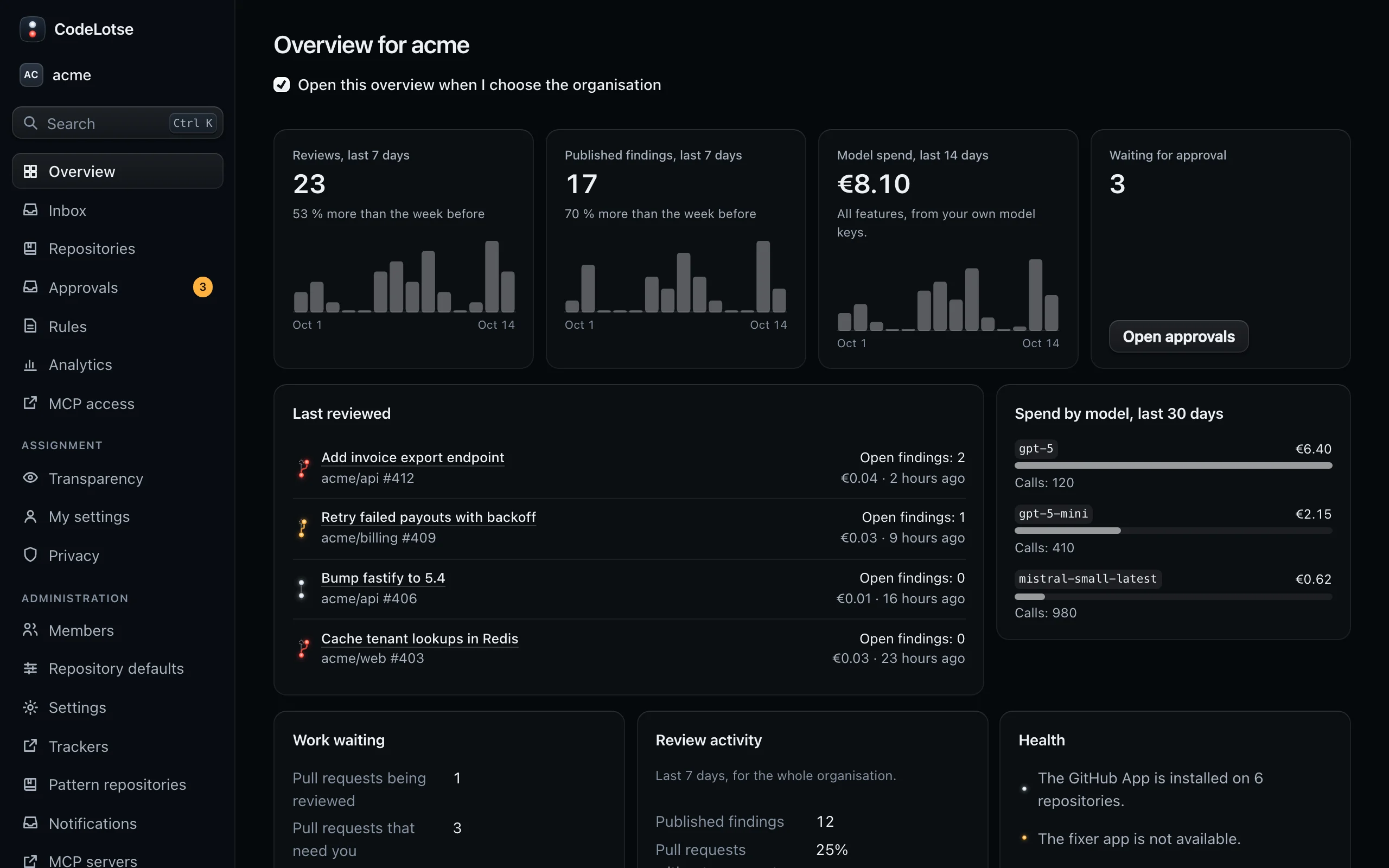
Overview is titled "Overview for" and the organisation name. It starts with the numbers of the last days:
| Tile | Content |
|---|---|
| Reviews, last 7 days | Number of review runs, the trend against the week before and a chart of the last 14 days |
| Published findings, last 7 days | Findings posted to the code host, with trend and chart |
| Model spend, last 14 days | What the model calls of all features cost, from your own keys. Administrators only. |
| Waiting for approval | Outputs waiting in Approvals, with a link to them. Administrators only. |
Below the tiles:
- Last reviewed: the latest review runs with their state and open findings.
- Spend by model, last 30 days: the models with the highest spend and their number of calls. Administrators only.
- Work waiting: pull requests being reviewed, pull requests that need you and reviews waiting for approval, with links to Inbox and Approvals.
- Review activity: published findings, the share of pull requests without comments and comments per pull request over the last 7 days. Administrators only. Values are hidden when fewer people than the minimum group size contributed (Analytics).
- Health: whether the GitHub App is installed on repositories, whether the fixer app is available and how many sandbox runners are connected.
- Budget alerts: when model spending reaches a threshold of a budget, administrators see a banner and can Acknowledge it.
Work through the inbox ​
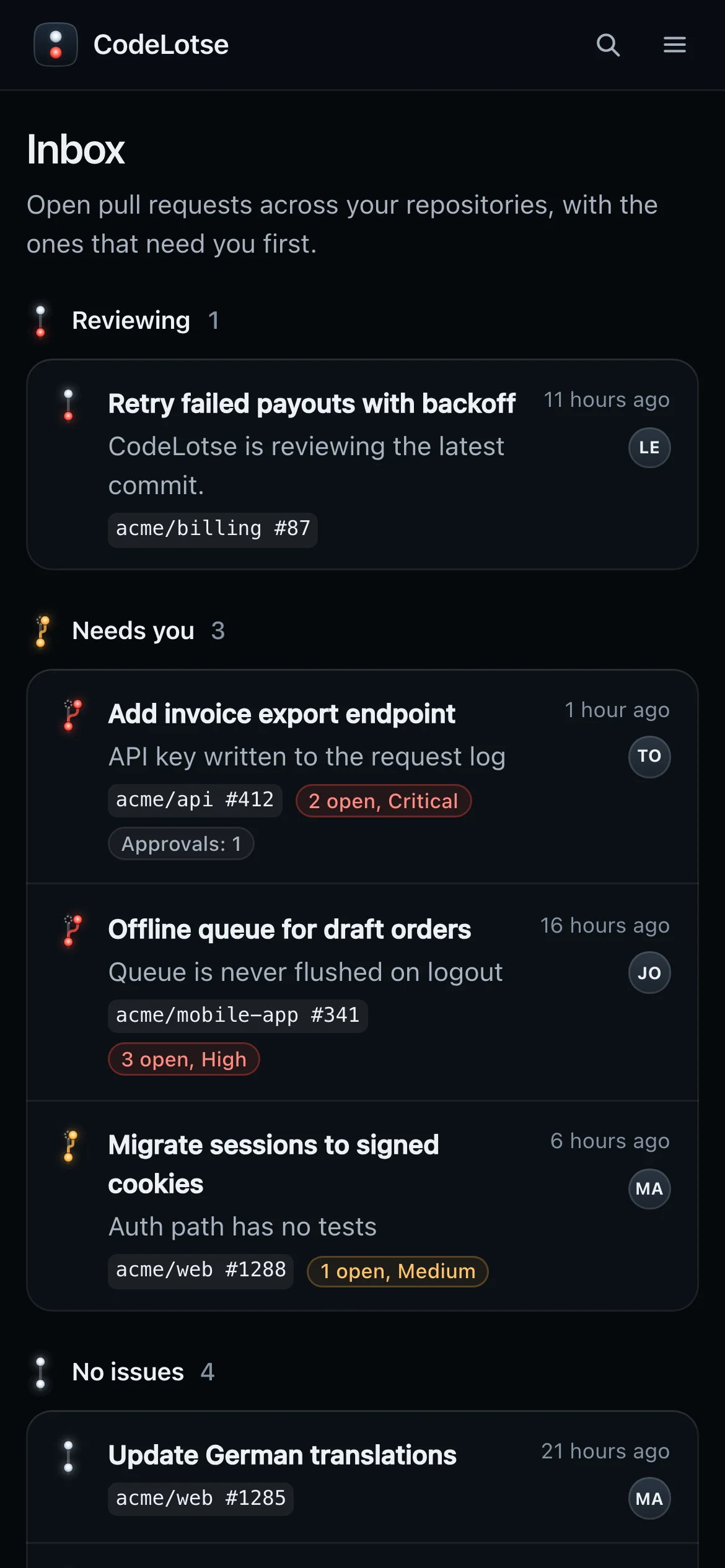
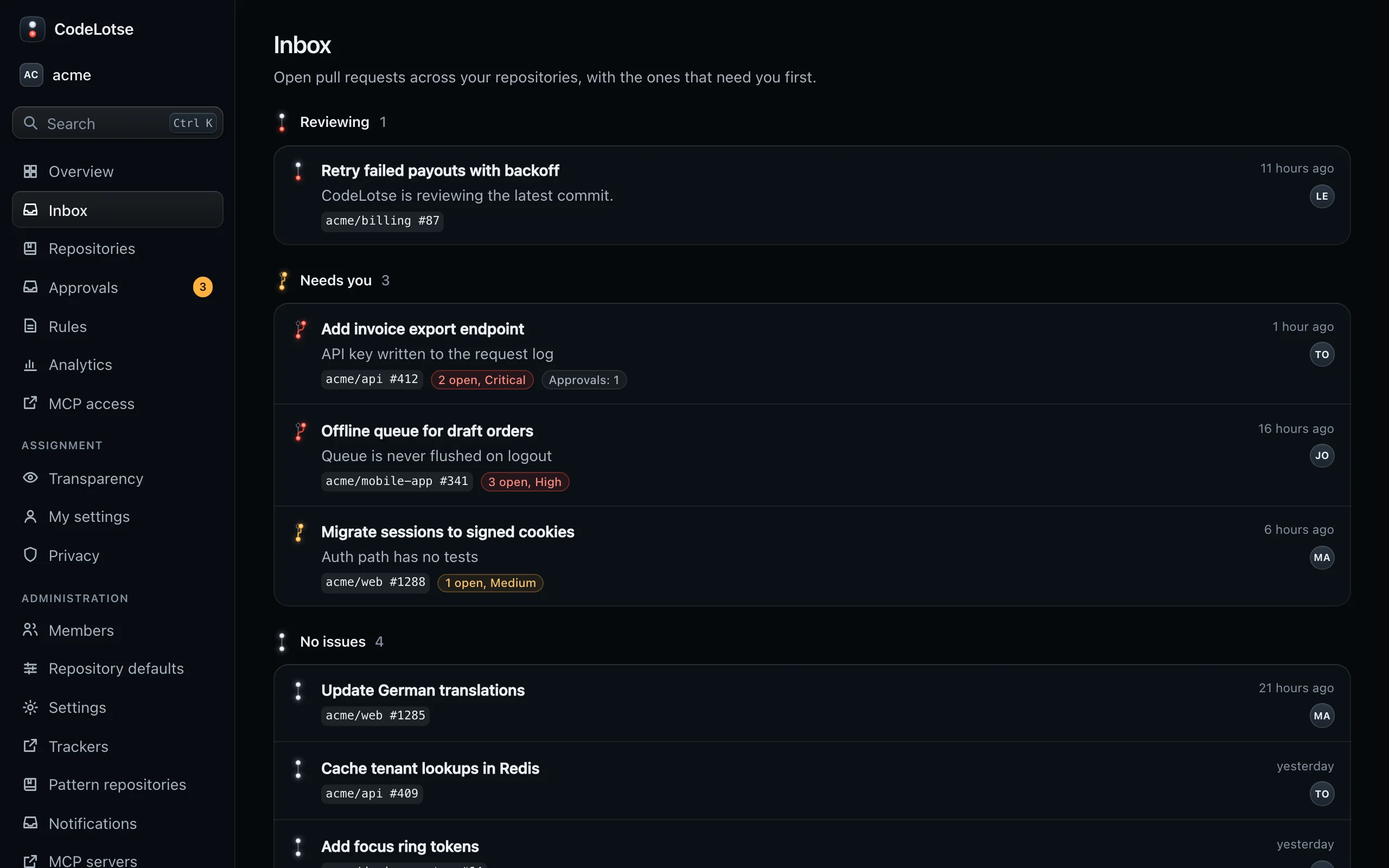
Inbox shows open pull requests that CodeLotse reviewed in the repositories you can see. It updates by itself while a review is running. Pull requests are grouped by their light code:
| Group | What is in it |
|---|---|
| Reviewing (Aboard) | CodeLotse is reviewing the latest commit right now. |
| Needs you | The review failed, outputs wait for approval, or findings are open. The most severe findings come first, then the most pending approvals, then the newest. |
| No issues (On course) | Reviewed with nothing open. The five newest are shown; Show … more lists the rest. |
When Needs you is empty, the inbox says "Nothing needs you right now."
Each entry shows the pull request title, the most important open finding or why it needs you, the repository and number, a badge such as "2 open, High", the number of approvals waiting, when the review started and the author. Select the title to open the review run, or the approvals badge to open the repository's approvals.
The inbox shows only pull requests that have at least one review. If it says "No open pull requests have been reviewed yet", reviews are not on for your repositories yet, or nobody has opened or updated a pull request since.
Choose your start page ​
The overview has a checkbox Open this overview when I choose the organisation. Clear it to open the Inbox instead when you sign in or switch organisations. The choice is stored in your browser.
Use it on your phone ​
The inbox works on small screens and in the installed app. Together with push notifications for failed reviews and outputs waiting for approval, it is the quickest way to see what needs you. See Phone and push notifications.