
Reviewer suggestions ​
CodeLotse can suggest reviewers for pull requests and assignees for issues, based on who owns and knows the affected code. This page is for the people who may be suggested: what a suggestion looks like, what data it uses, and how you opt out or share your availability. How administrators set the feature up is in Assignment and privacy.
What a suggestion is ​
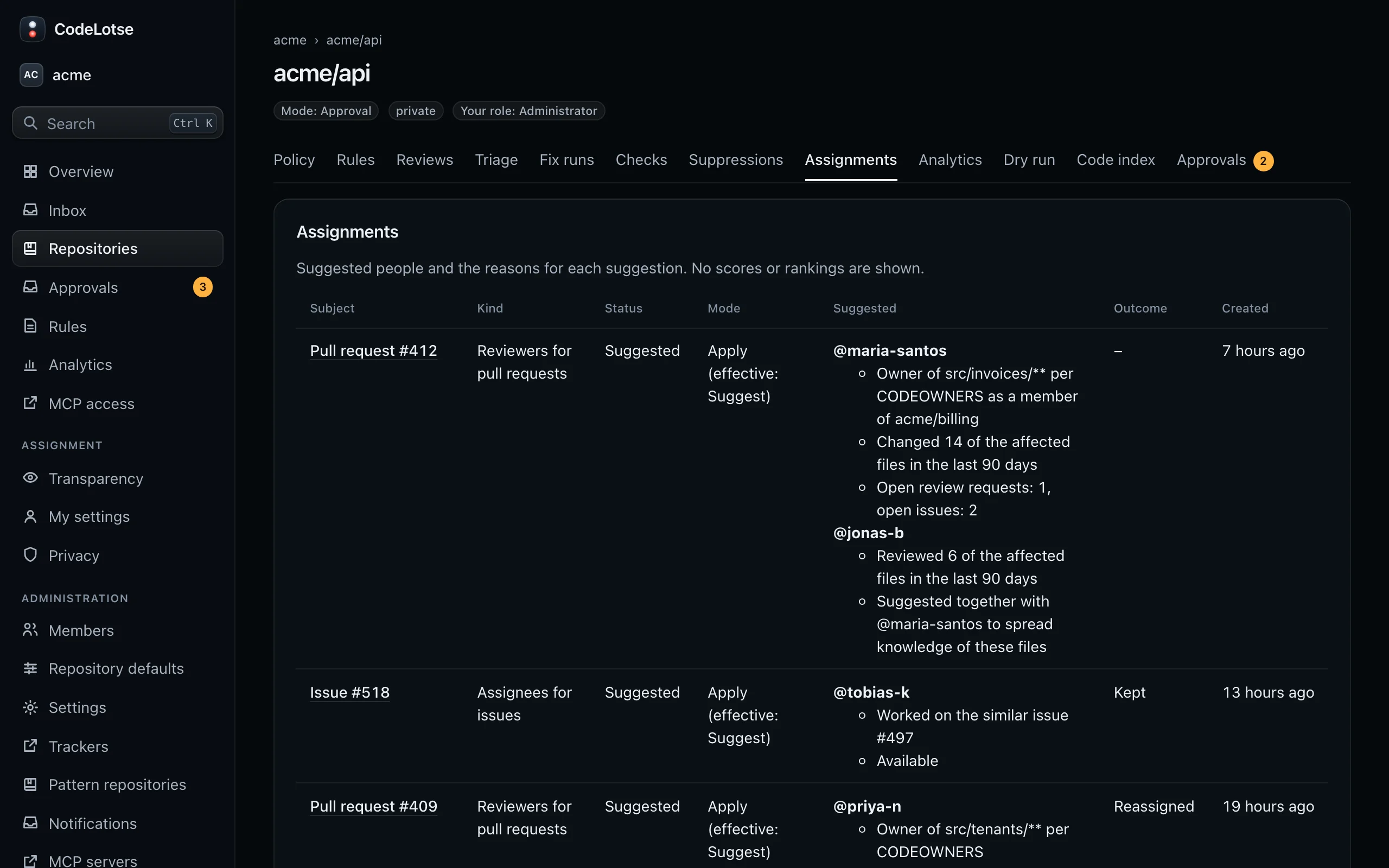
A suggestion names one or more people and the facts behind each, for example:
- "Owner of
src/billing/**per CODEOWNERS" - "Changed 4 of the affected files in the last 90 days"
- "Reviewed 3 of the affected files in the last 90 days"
- "Worked on the similar issue #38"
- "Suggested together with @octocat to spread knowledge of these files"
No scores, ranks or other candidates are shown, anywhere. Suggestions do not rate anyone; they route work to people who know the code and spread knowledge across the team.
Depending on the repository's mode, a suggestion is:
| Mode | What happens |
|---|---|
| Shadow | Computed and stored. On a self-hosted instance only instance administrators can see it; in the cloud edition nobody can. |
| Suggest | Listed on the repository's Assignments tab and, if turned on, posted as one comment that names the people as code, so nobody is notified. A person decides who to assign. |
| Apply | CodeLotse requests the reviewers or sets the assignees on the code host. It only adds people and never removes a request. |
You can always change the reviewers or assignees on the code host. Such changes are recorded only as feedback for the repository, without free text and without who changed it, and they never lower your future suggestions.
See how it works in your organisation ​
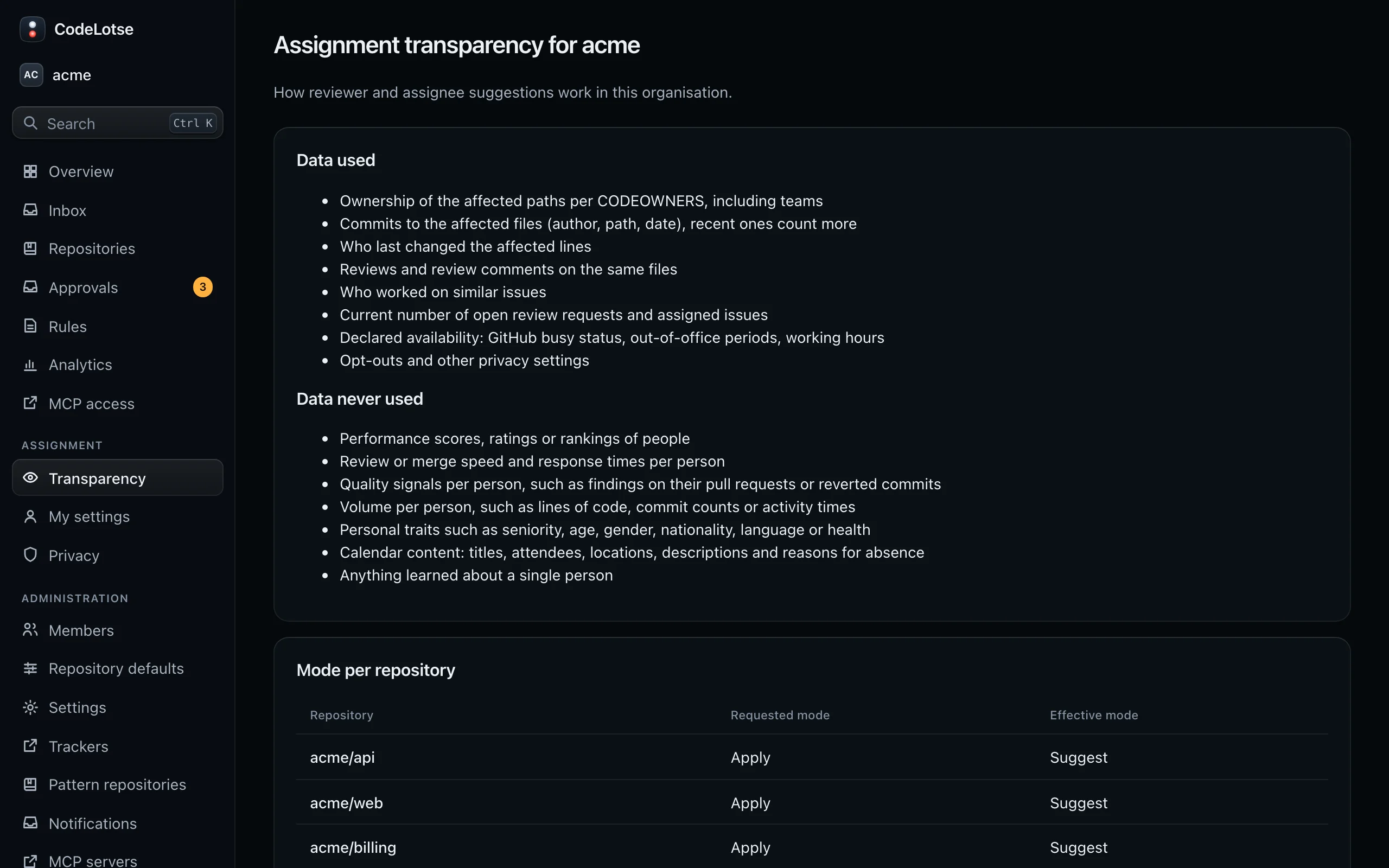
Open Assignment › Transparency in the sidebar. The page is the same for every member and contains no data about single people:
- Data used: CODEOWNERS of the affected paths, commits and blame of the affected lines, reviews of the same files, work on similar issues, the number of open review requests and assigned issues, declared availability, and privacy settings.
- Data never used: performance scores, speed or response times per person, quality signals such as findings on your pull requests, volume such as lines of code, personal traits, calendar content and anything learned about a single person.
- Mode per repository: the requested and effective mode of each repository you can see.
- Safeguards and retention: the legal sign-off, whether works-council mode and team-level metrics only are on, how long records are kept, and the responsible contact of your organisation.
Change your own settings ​
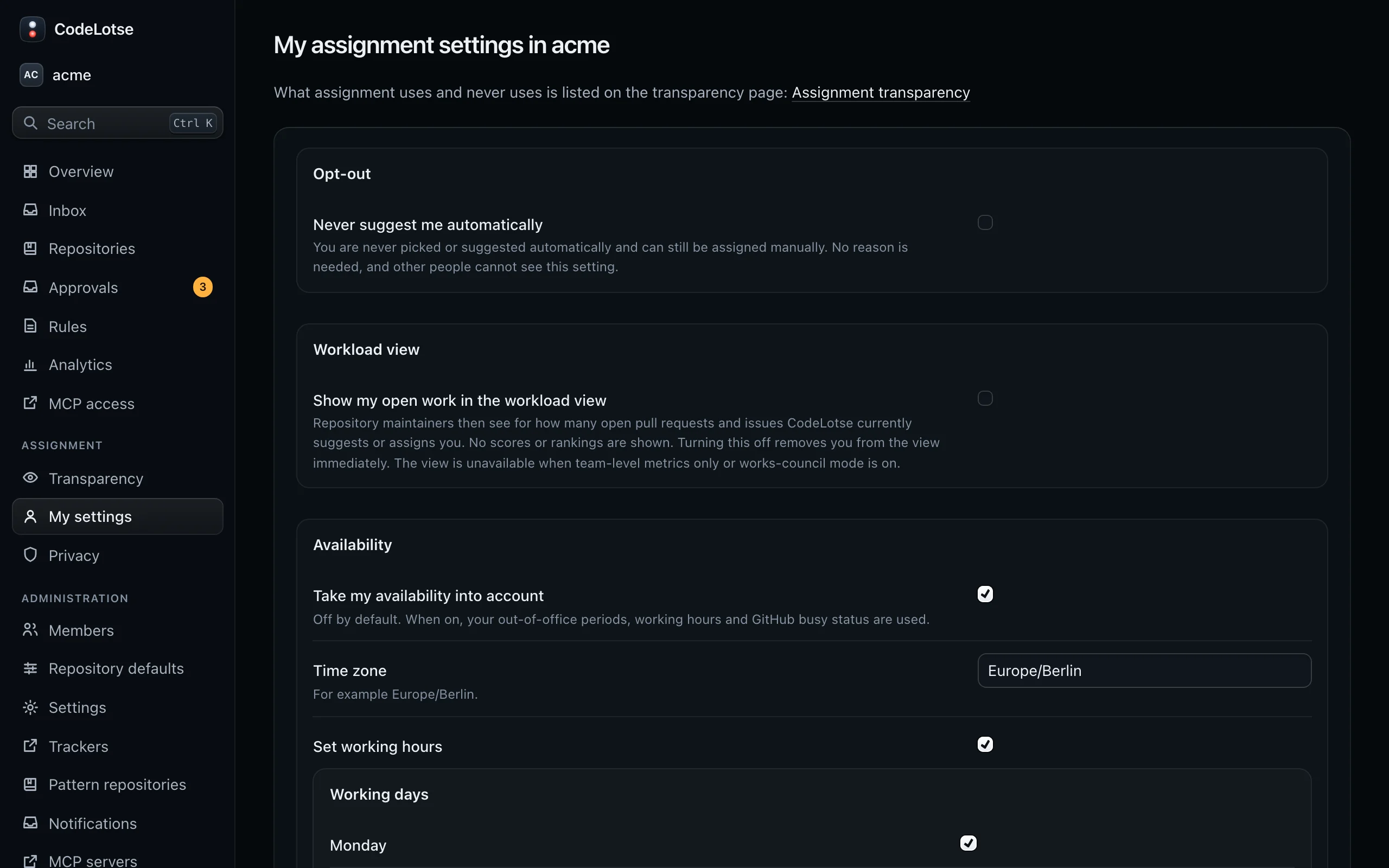
Open Assignment › My settings. The page belongs to your GitHub account; if you signed in with a company account, there is nothing to set here.
Opt out ​
Tick Never suggest me automatically. You are then never suggested or picked, also not in shadow, and the familiarity data about you is deleted. People can still assign you by hand. You need no reason, and nobody else can see this setting.
Workload view ​
Show my open work in the workload view lets repository maintainers see for how many open pull requests and issues CodeLotse currently suggests or assigns you, as counts only. It is off by default. Turning it off removes you from the view at once. It is unavailable when team-level metrics only or works-council mode is on.
The same setting is your opt-in for My metrics (see below).
Availability ​
Take my availability into account is off by default. When you turn it on, CodeLotse does not suggest you outside your working hours or while you are out of office:
- Time zone, for example
Europe/Berlin, and Set working hours with Working days, Start and End. - Out of office: add periods with From and Until, or delete them.
- Calendar feed: an
httpsaddress of an ICS feed. Only the start and end of out-of-office events are stored; titles, attendees, locations and descriptions never are. The address is stored encrypted and never shown again. - Your GitHub busy status is read only when this is on.
Unknown availability never excludes anyone.
Your own metrics ​
If your organisation allows personal metrics and you ticked Show my open work in the workload view, you can see metrics about your own pull requests and issues under My metrics. Nobody else can see them, administrators included. See Analytics.