
Plans and billing ​
Every organisation starts with a free trial. After the trial, an administrator chooses a plan on the Billing page of the organisation. Model costs are never part of the bill: you always use your own model keys, and your model provider bills you directly.
Trial ​
The trial starts when the organisation is claimed and lasts 14 days. It includes the full Basic plan without a payment method, with these limits per calendar month:
| Limit | Trial |
|---|---|
| Review runs | 500 |
| Model tokens | 20 million |
| Repositories | 25 |
When the trial ends without a plan, the organisation becomes read-only: no new runs start, and everything stays readable. No data is deleted.
Basic plan ​
| Basic | |
|---|---|
| Features | Pull request review, issue triage and replies, chat, reviewer suggestions, work trackers, rule import |
| Price | €3 per active developer and month, or €30 per active developer and year, plus VAT where it applies |
| Minimum | 5 active developers |
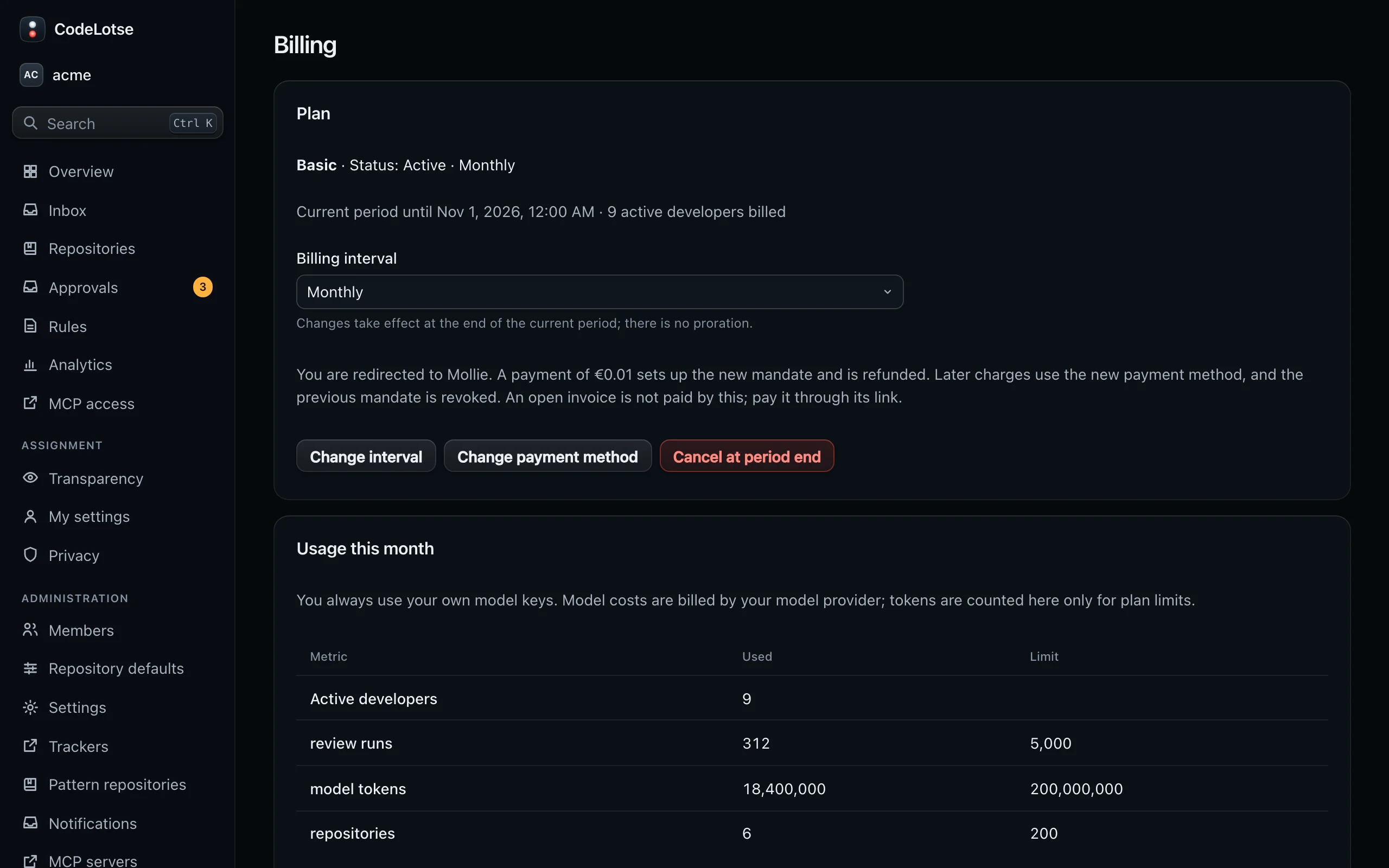
| Review runs per month | 5,000 |
| Model tokens per month | 200 million |
| Repositories | 200 |
The Billing page shows the plans and prices that currently apply; if they differ from this page, the page in the app is right.
An active developer is a person who opened or worked on a pull request or an issue in a connected repository during the billing period. Bots are free. Administrators can see the list of active developers for the current month on the Billing page; nobody else can.
When a monthly limit is reached, new reviews keep running in shadow mode until the next month, and the Billing page names the limit. Runs that already started finish.
Set up billing ​
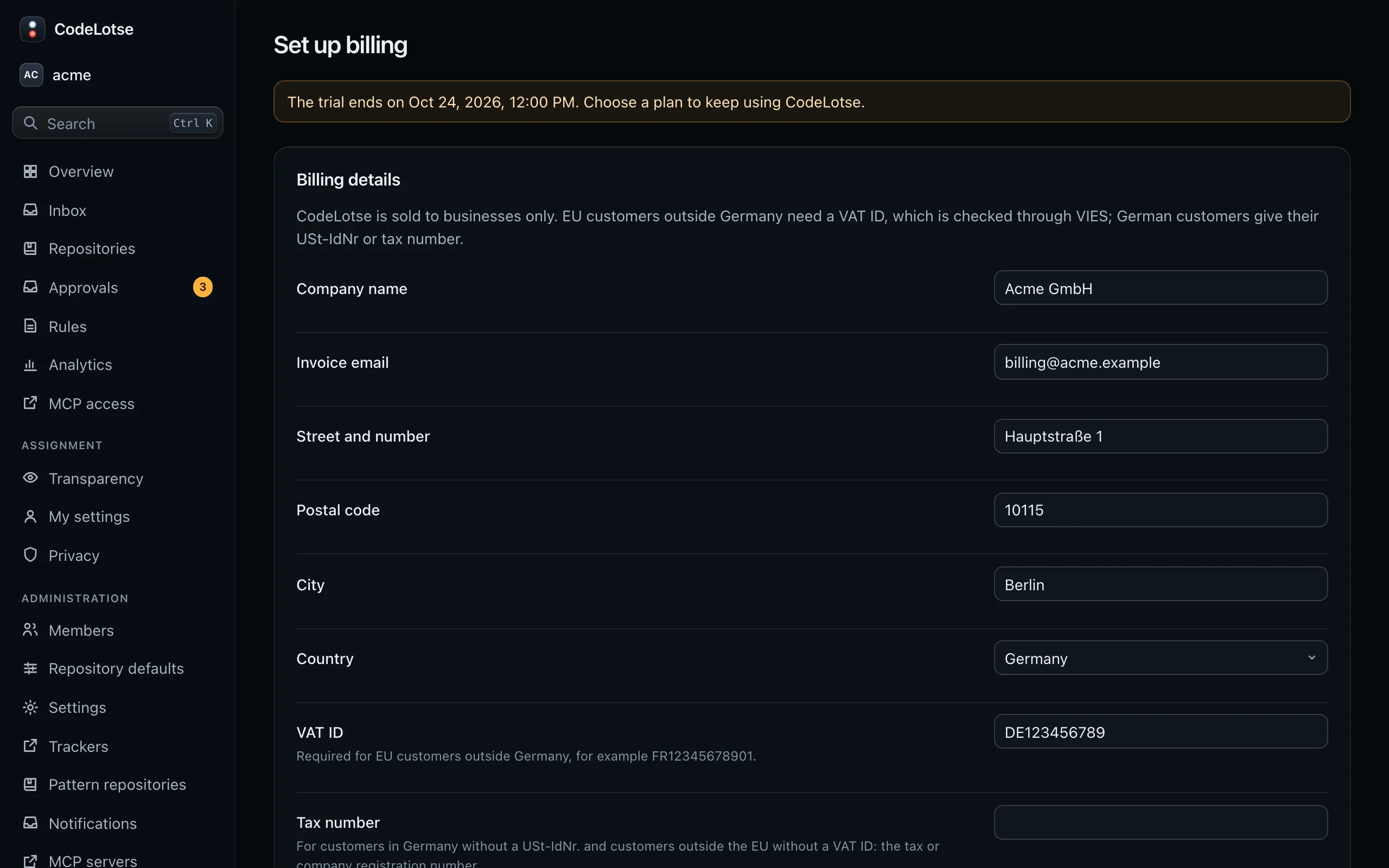
- Open Billing and choose Choose a plan.
- Fill in the Billing details: company name, invoice email, address and, depending on the country, a VAT ID or a tax number. CodeLotse is sold to businesses only. VAT IDs of EU customers outside Germany are checked with the VIES service of the European Commission.
- Choose the plan and the interval, monthly or annual.
- Tick the box to accept the terms of sale and choose Continue to payment. You are sent to Mollie, our payment provider, to add a payment method. The first payment sets up the mandate for later charges.
The page updates once Mollie confirms the payment.
Invoices and VAT ​
Invoices are listed on the Billing page with a PDF download. Customers in Germany pay German VAT. EU customers outside Germany with a valid VAT ID are invoiced under the reverse charge procedure. Customers outside the EU are not charged German VAT.
Usage of the current month can be downloaded as CSV or JSON with Export usage.
Change the plan, interval or payment method ​
- Change interval switches between monthly and annual billing. Changes take effect at the end of the current period; there is no proration.
- Change payment method sends you to Mollie. A payment of €0.01 sets up the new mandate and is refunded at once. The previous mandate is revoked.
Failed payments ​
If a renewal cannot be charged, the plan becomes Payment overdue. Everything keeps working for 14 days. Reminders go to the invoice email on the day of the failure and after 7 and 12 days, each with a link to pay the open invoice. If the invoice is still open after 14 days, the organisation becomes read-only until it is paid. No data is deleted.
Cancel ​
Cancel at period end ends the plan at the end of the current period; until then everything keeps working. Keep the plan undoes the cancellation. After the end of the period the organisation is read-only. To remove your data as well, delete the organisation.